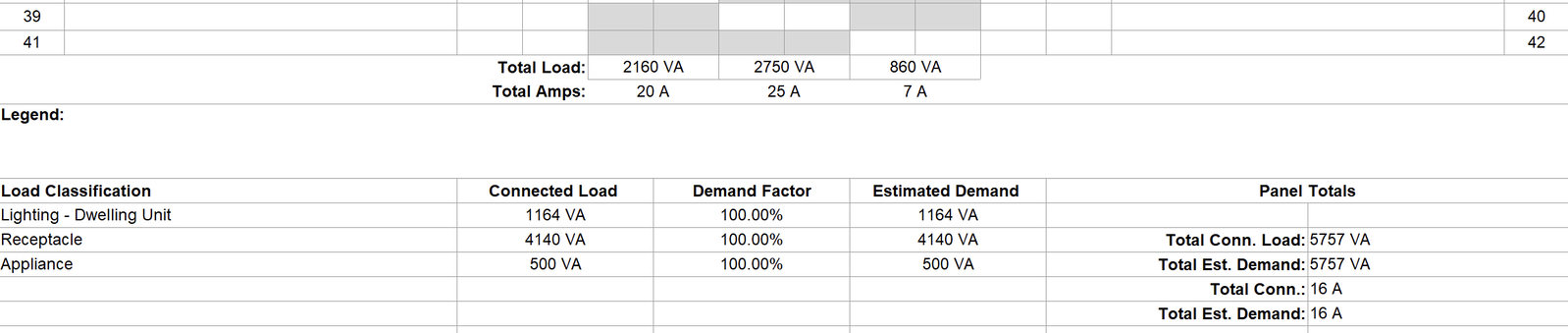
A panel schedule turns the circuiting in a Revit electrical model into a live, coordinated document.
The panel schedule shows the panel’s circuits, so circuit numbers, load names, breaker ratings, poles, connected loads and phase totals update when devices are added, moved or re-circuited, giving you a quick check on the design:
phase balance
total connected and demand load
spare capacity
whether the panel and feeder are sized correctly
Workflow
‣
Prepare Your Electrical Model
Prepare the Panel
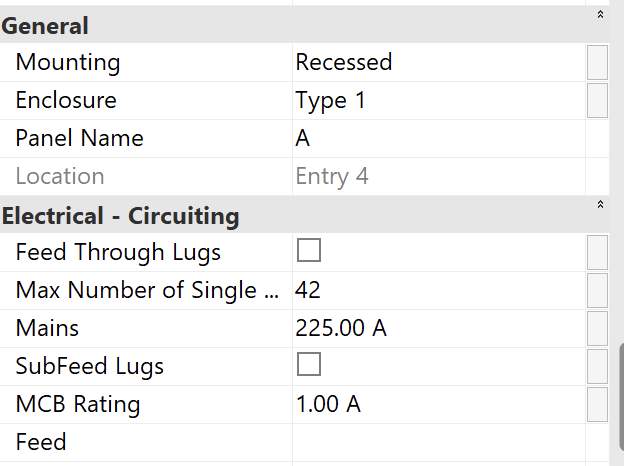
Set the panel properties:
Panel Name
Number of breaker spaces
Some properties are set by the Type selected:
Distribution System (e.g. 120/208 Wye)
Mains
Create Circuits and Assign Them to a Panel
Assign every device and fixture to a circuit on that panel
Fill in each circuit's load name, breaker rating and number of poles.
‣
Create a Panel Schedule for a Panel
Select the panel.
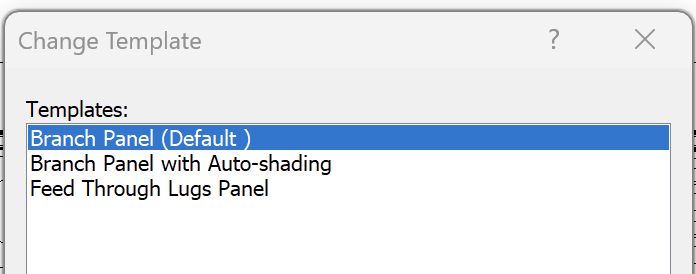
Open Modify | Electrical Equipment > Electrical > Create Panels > Use Default Template.
You can also choose the template if desired.
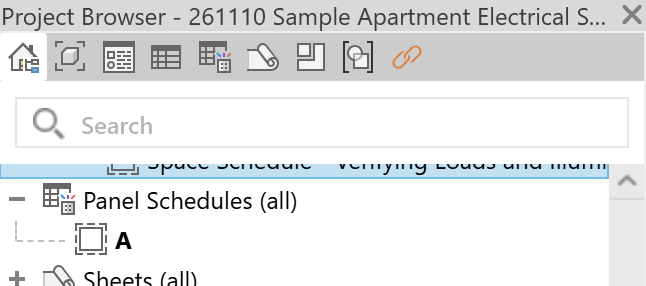
The Panel Schedule opens in a new view, which you can access at any time in the Project Browser.
‣
Review the Panel Schedule
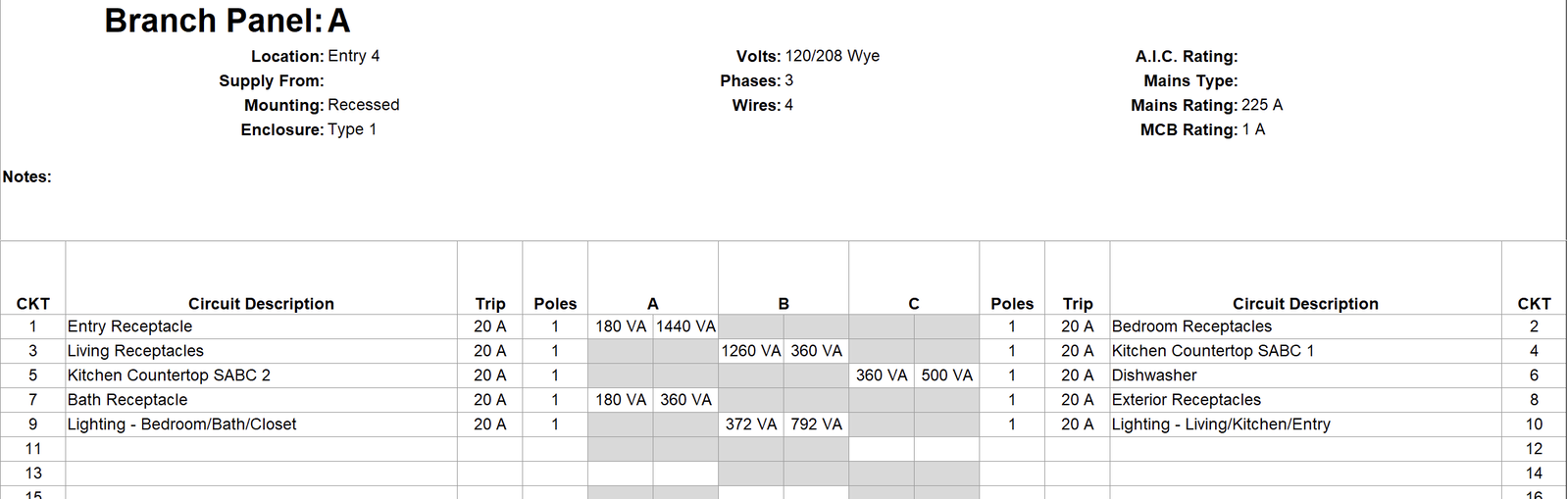
In the Panel Schedule view, you can see information for each circuit attached to that panel:
Circuit Number
Circuit Description
Trip (Breaker rating)
Number of Poles
Phase the circuit was assigned to.
Apparent Power
The value on the left is for the circuit on the left side of the schedule.
The value on the right is for the circuit on the right side of the schedule.
You can also see:
The Total Load on each Phase.
The Total Amps on each Phase.
Totals for the panel
Connected Load
Estimated Load
‣
Editing the Panel Schedule
In the Panel schedule view, you can also:
rebalance the phases
move circuits between slots
add spares and spaces
lock slots where needed
‣
Placing or Exporting the Panel Schedule
Place on a sheet
Drag the schedule from the Project Browser onto an electrical sheet. It updates automatically as the model changes.
Export if needed.
Export to CSV for load calculations or coordination with others.