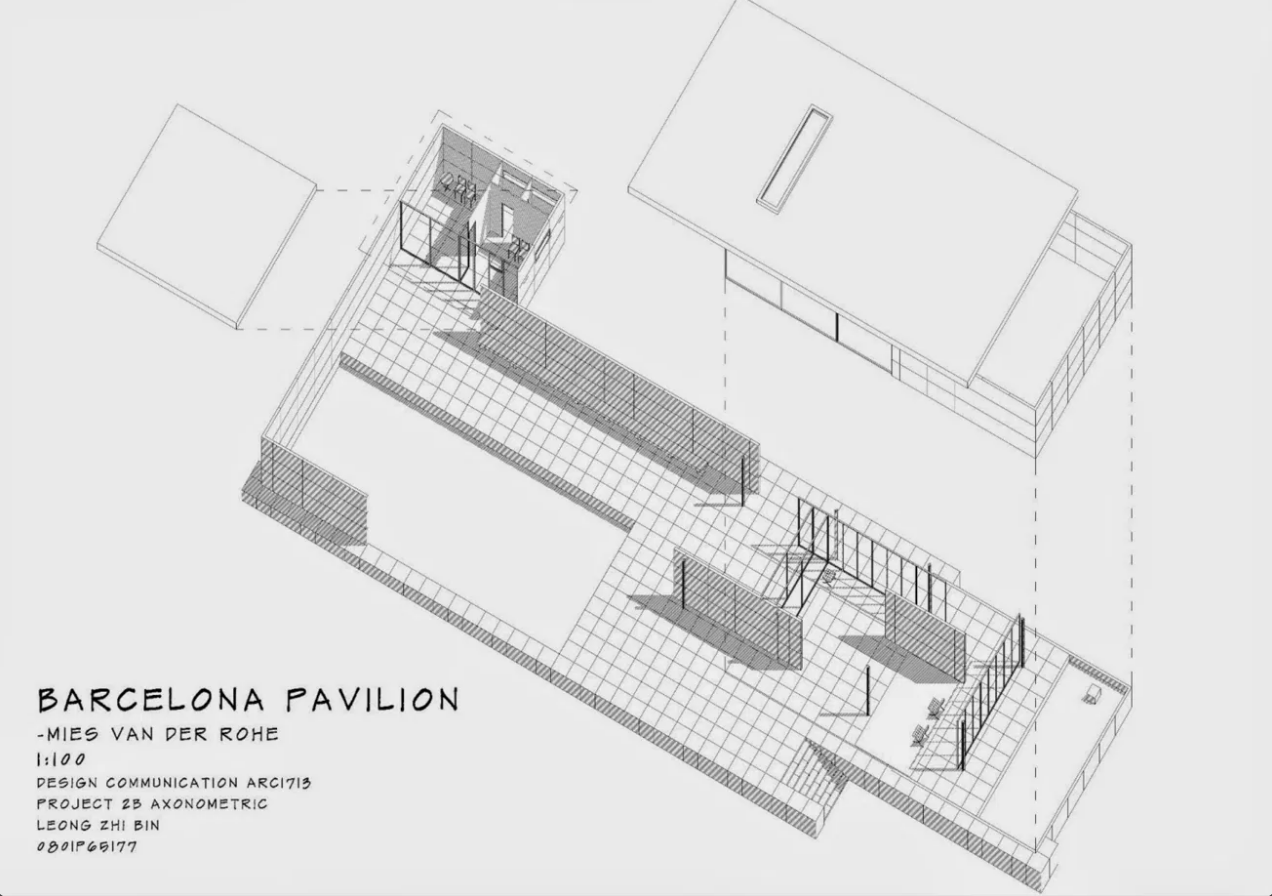
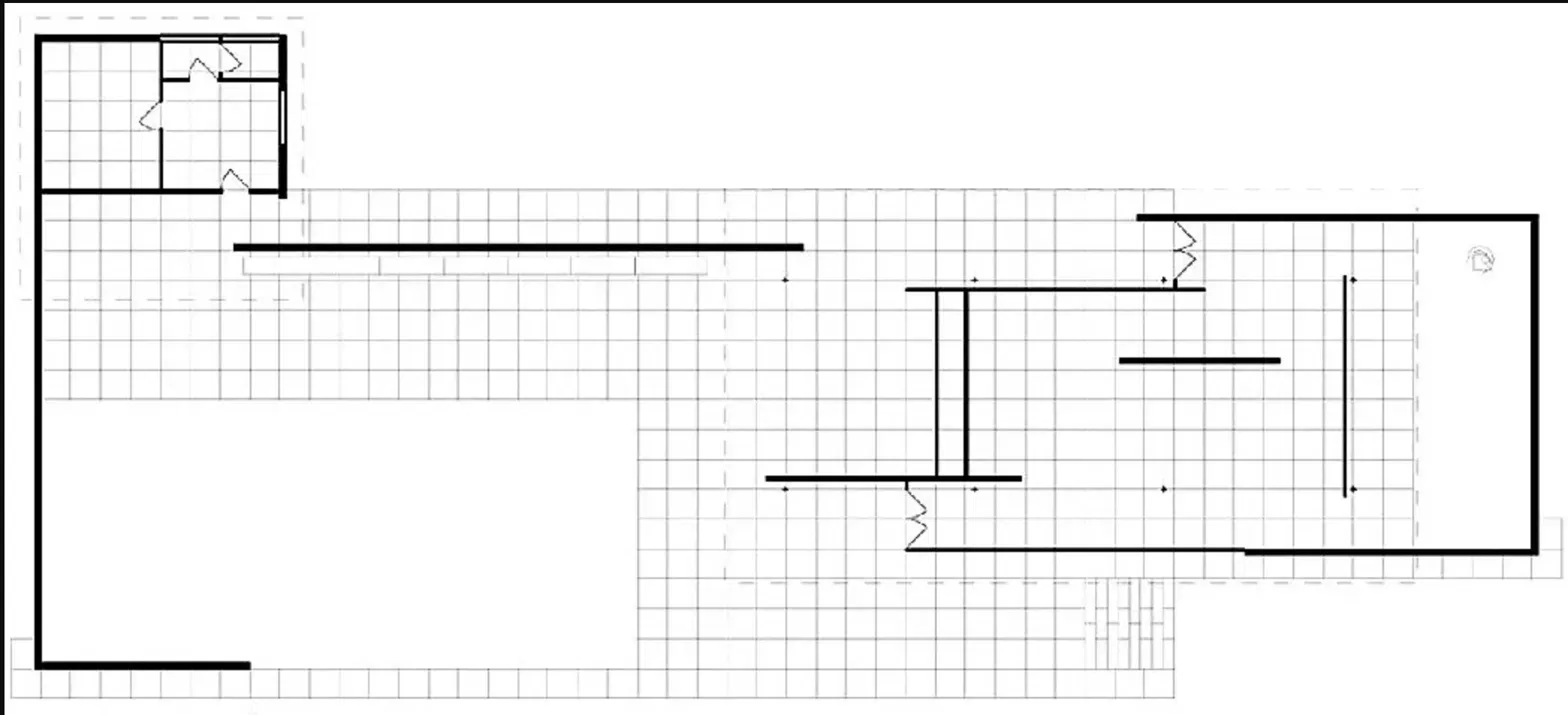
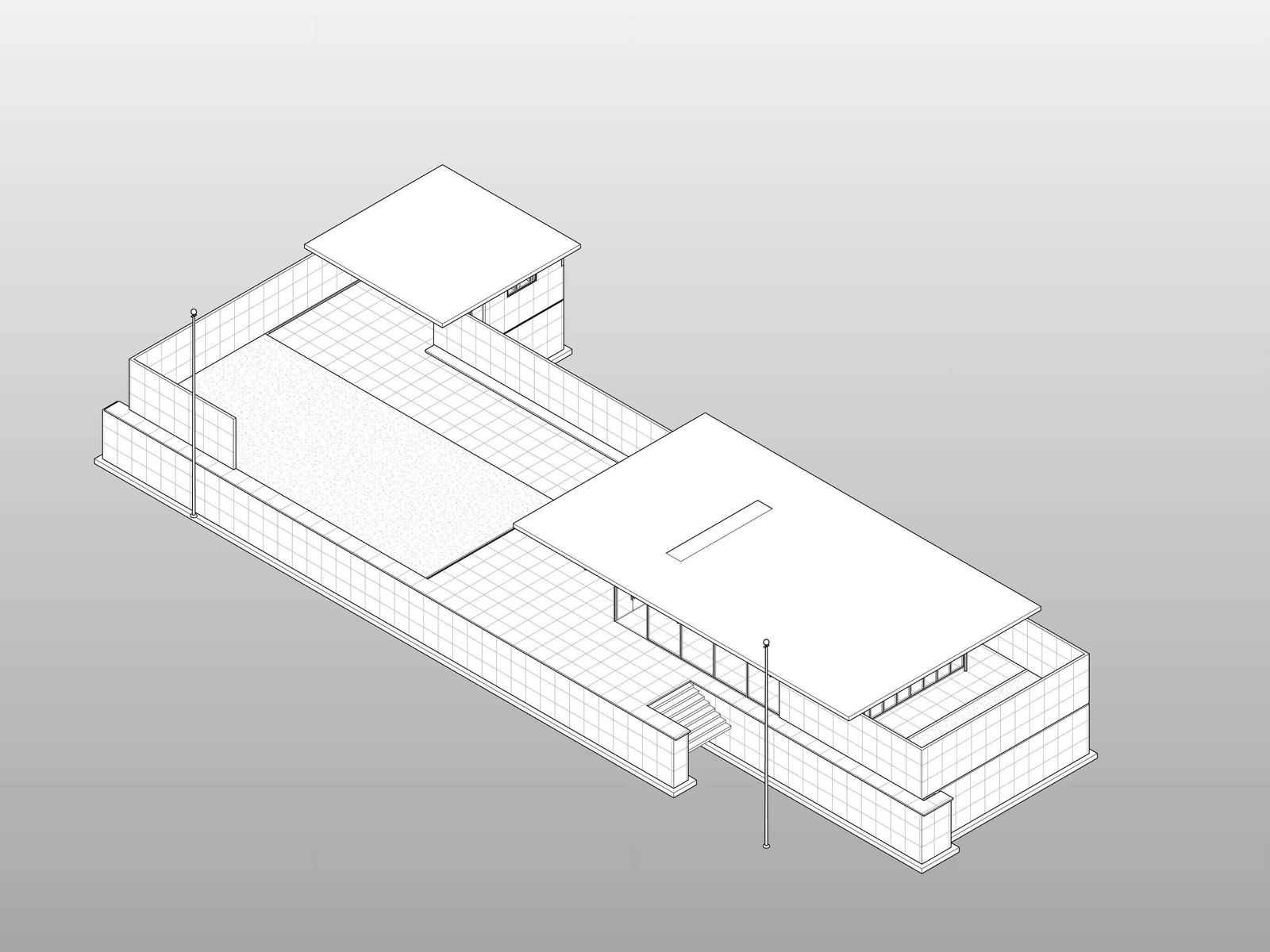
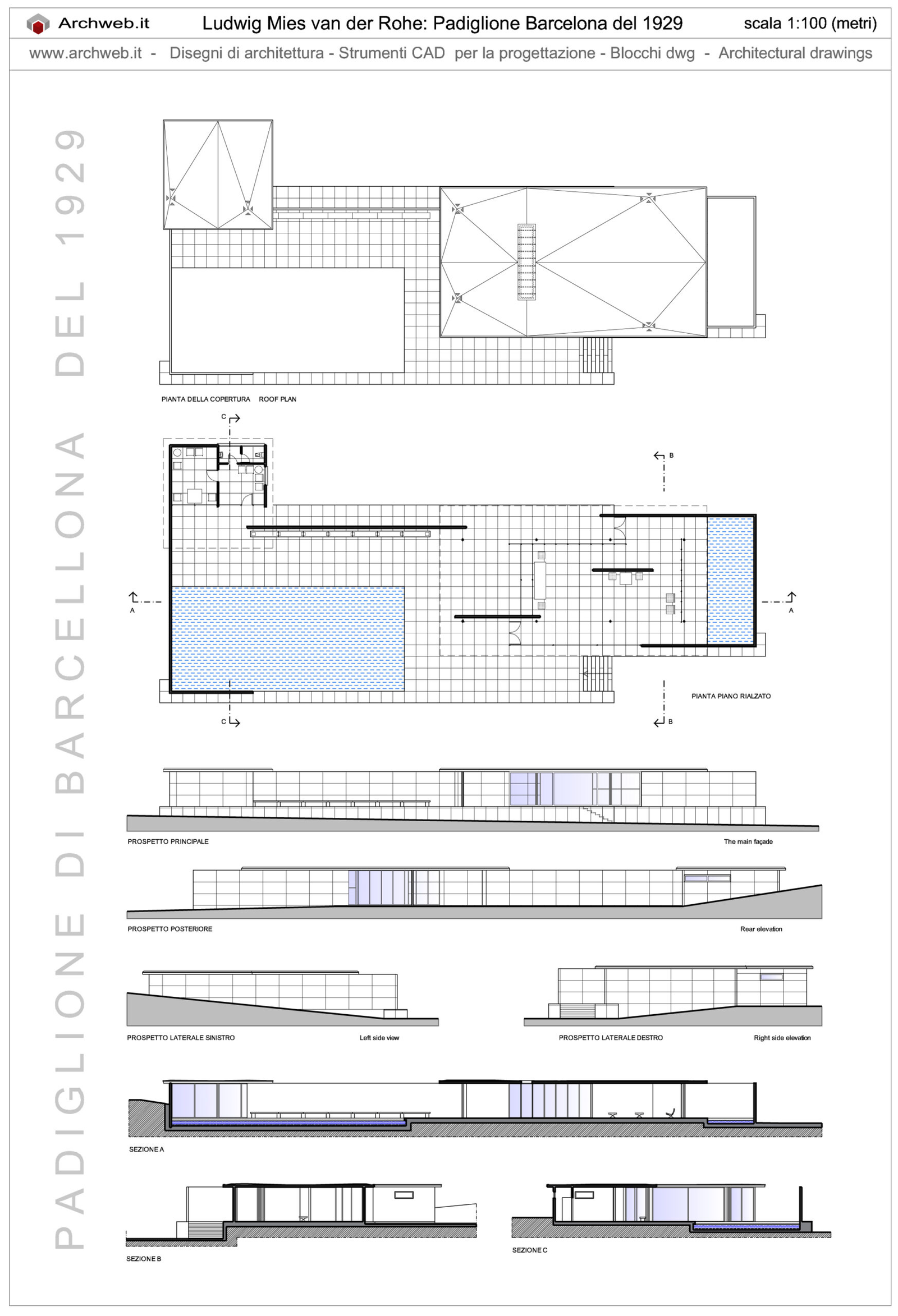
In this test you’ll use images of floor plans, sections, elevations, and 3D views to create a Revit model.
- Open Claude Desktop.
- Create a new chat.
- Verify that the Connector for the Revit MCP Technical Preview is turned on.
- Copy and paste these 4 context images into the Claude chat prompt. (Right-click on each image, then choose Copy Image from the contextual menu.)
5. Enter this Claude chat prompt:

Create a new Revit model of the Barcelona Pavilion using these images as guides
- Copy the Python scripts and paste them into Dynamo a Python.Script node to run the code.