

🖥 Logistics
Hope you’re excited for the start of Winter Quarter! I wanted to share some important information to help you get ready for our first class session on Tuesday, January 9th at 1:30 PM.
The class will be meeting in room 264 of the Yang & Yamazaki Environment & Energy Building (Y2E2) — in the Science & Engineering Quad — on Tuesday and Thursday afternoons from 1:30 to 2:50 PM Pacific.
Class Sessions
These class sessions will include a combination of discussions, case study presentations, interactive team exercises, and design studio working sessions. And, as a member of our design studio, you are expected to attend all class sessions in person. So, while much of your project work will be completed outside of class time, you are expected to attend all class sessions in person at the scheduled class times.
If you ever cannot attend the live class session, please join us online using the Zoom link in Canvas.
Design Projects
The class is organized into three modules -- each of which features a design project that will give you an opportunity to exercise and apply your design thinking skills to a design and propose a solution that promotes sustainable behaviors and practices.
Each design project will each require about 8-9 hours of work per week outside of the class sessions.
You’ll be working independently on Design Project 1, then in small teams on Design Projects 2 and 3, to share a proposed design that:
- meets the needs that you or your team identifies
- illustrates your strategy for approaching the challenges and opportunities you uncover
- demonstrates your application of the design thinking process
- makes a measurable impact on improving sustainable behaviors and practices
Login to Canvas and Join our Slack Workspace
We’ll be using Slack as the primary method for quickly messaging each other in this studio.
So, please login to Canvas (https://canvas.stanford.edu), then join our class Slack workspace by clicking the Slack link in the left toolbar in Canvas. This will get you set up to receive all the course messages and announcements in the Slack application or web interface.

Think of Slack as an open channel for sharing your questions, insights, and inspirations with the entire studio. If you have a question that you think any of the other studio members might also have, please post it to one of the open Slack channels.
Looking forward to meeting you and getting started on our sustainable design journey on Tuesday afternoon!
Please confirm your contact information and let us know your preferred name by editing your row this shared Google Sheet:



We’ll be using Slack as the primary method for quickly messaging each other in this studio.
Please join our class Slack workspace by clicking the Slack link in the left toolbar in Canvas.
Once you’ve joined the workspace, you can access it through the Slack app or this link:
https://su-186980.slack.com
Think of Slack as an open channel for sharing your questions, insights, and inspirations with the entire studio. If you have a question that you think any of the other studio members might also have, please post it to one of the open Slack channels.
Slack also offers a direct messaging feature, but please use this only for questions that are truly unique and private — things that should not be shared.
As a member of our design studio, you are expected to attend all class sessions in person.
If you ever cannot attend the live class session, please join us online using the Zoom link in Canvas.
And if you cannot attend join online at the live class time, you are expected to view the recording of the session prior to the next class session.
Our studio has an always open meeting space — think of it as a conference room that you can jump into at any time. We’ll be using this for open office hours (versus schedule appointments), and you’re welcome to use this online meeting space at any time.
https://bit.ly/CEE176G-MeetingSpace
You can also create your own private meetings and invite collaborators to join you using Zoom.
We’ll use a shared Google Drive workspace to provide everyone access to studio documents.

You can create your own folders within this space to share documents with your collaborators and the studio mentors.
💡 Design Thinking Process
Watching what people do and how they interact with their environment gives you clues about what they think and feel. It helps you to learn about what they need.
By watching people you can capture physical manifestations of their experiences, what they do and say. This will allow you to interpret intangible meaning of those experiences in order to uncover insights. These insights will lead you to the innovative solutions.
The best solutions come out of the best insights into human behavior. But learning to recognize those insights is harder than you might think. Why? Because our minds automatically filter out a lot of information in ways we aren’t even aware of. We need to learn to see things “with a fresh set of eyes” – tools for empathy, along with a human-centered mindset, is what gives us those new eyes.
Here are some helpful tips for observing users from the d.School Bootcamp Bootleg:
Interviewing users can be tricky!
- You need to prepare and have a plan in mind -- what do you want to know?
- But you also want to allow room for spontaneous conversations that might lead to unexpected insights...
Some useful techniques include:
- Ask "why"
- Say "tell me about the last time you..."
- Encourage stories
- Look for inconsistencies
- Don't be afraid of silence
- Don't suggest answers -- don't lead the witness!
- Ask questions neutrally:
- What do you think about..."
- Not, don't you think this is great !?!
- Don't ask "Yes/No" questions -- try to evoke a story
Check out these tips for interviewing users from the d.School Bootcamp Bootleg:
 2B - Design Thinking - Empathizing Methods - Interviewing.pdf
Gather the attributes and attitudes from people you've observed or interviewed into specific, recognizable character profiles that can help you:
- focus on the most salient and relevant characteristics of your potential users
- avoid getting distracted by non-essential characteristics.
Be sure to check out these tips for the d.School Bootcamp Bootleg:
3A - Design Thinking - Defining Methods - Composite Character Profile.pdf
One of the most essential parts of the defining stage in Design Thinking is developing your point of view statement -- your framing of a design challenge into an actionable problem statement that will help launch your idea generation. It's your opportunity (and responsibility) to clearly articulate the design challenge that you've chose to take on.
The general form of a POV statement is:
[USER] needs to [USER'S NEED] because [SURPRISING INSIGHT]
Using this format will help you make sure that you clearly specify:
- the intended users that you're designing for
- their specific need that you've adopted as you challenge
- why this need motivates you to want to tackle this problem
Your POV statements should be actionable, potentially generative and intriguing problem statements that create excitement and inspire you to develop solutions.
Here are some tips for creating POV statements from the d.School Bootcamp Bootleg:
3B - Design Thinking - Defining Methods - Point of View Statements.pdf
The ideation stage typically involves two stages:
- flaring out and generating lots of diverse ideas that get you thinking outside the box
- focussing in and narrowing down the ideas the ones that you'd like to incorporate into your design solution
How Might We questions are great way to generate the seeds of ideas that you can use to launch your brainstorming.
Here's an overview and tips on how to use How Might We questions from the d.School Bootcamp Bootleg:
After you've lined up your How Might We questions (to focus your brainstorming energy), you're ready to dive in.
Brainstorming is a great way to come up with lots of ideas by leveraging and building upon the creativity of all your design team members and collaborators.
It's typically helpful to start with each of the How Might We questions, and use them as a seed and a framework to guide your brainstorming. Keeping the process open-ended and inviting creativity, while staying focussed and productive is an art that you'll develop through lots of practice.
While brainstorming:
- Go for quantity -- we want lots of ideas!
- Use headlines rather than diving into the details -- keep it moving lightly
- Encourage wild ideas and creative approaches
- Defer judgement -- get the ideas out on the table, but don't debate, dissect, or disparage them.
- Stay on topic -- if you're drifting off-topic, that might be a sign that you have another How Might We question to consider
When we're together the "All-In" every person write their ideas on post-it notes and stick them to the board is a great way to capture lots of ideas.
With everyone working remotely, this is harder to do. You might try:
- Having one person act as a scribe, capturing the ideas on a document as they share their screen.
- Having everyone on the team open a shared document, for example a Google Slides document, that everyone can add to freely -- similar to sticking post-it notes to the wall.
Here's an overview and tips on how to Brainstorm effectively from the d.School Bootcamp Bootleg:
Change isn't easy!
While we can often list a bunch of very rational reasons for why someone should want to change, they often resist. When users have choice, we need to assess and help them move through the steps of accepting and acting on the change.
Journey Maps are a very useful framework for:
- capturing the traits of a specific user profile and their needs
- list the steps in the user's journey
- itemizing their needs at each step in the journey
- capturing your assessment of their emotional journey -- how are they feeling? -- at every step of the way
- identifying opportunities to improve the journey
- ideating about ways to deliver on those opportunities
Here are some examples of Journey Maps for:


After you've flared out and generated lots of creative ideas during your brainstorming, you'll need to focus in again -- harvesting the most promising ideas that you'd like to carry forward and incorporate into your proposed design solution.
There's no single, right way to select the ideas, but you might try:
- voting -- all team members mark the three or four ideas that they are most attracted to, interested in developing.
- grouping and sorting the ideas into categories -- for example:
- the rational choice
- the most likely to delight
- the long shot
Here's an overview and tips on how to Select ideas effectively from the d.School Bootcamp Bootleg:
As you're developing your design idea, it's very tempting to keep embellishing and adding features to the core concept.
We've all done it... You find yourself thinking, "well, as long as I'm doing X, wouldn't it be cool if I also did Y, and how about Z too!" This is known as "feature creep", and it's a real danger in most design projects.
As you develop your creative design solution, it's critical to stay focused on the core features of your design that address the needs you identified in your point of view. You'll be prototyping these features and testing their effectiveness, and you can't let yourself get distracted by adding bells and whistles that dilute your attention.
You can consider adding in some of those extra features -- at a later time -- but only after you've fully designed and testing your core features.
To help you stay focused, it's useful to outline the features of your Minimum Viable Product (MVP) -- the essential features that you proposed design must provide. Some define it as "the smallest thing that you can build that delivers customer value".
Try to keep the list very brief and concise. This isn't a full product spec -- it's a bullet list of essential items to help remind you of what's absolutely essential for your product to provide.
Here are a few blog posts that describe how thinking about the Minimum Viable Product can help lead to to better designs:

Before you dive into prototyping your product idea, think carefully about your goals -- WHY are you developing this prototype?
Often we prototype to:
- Explain and inspire - by showing and sharing our vision
- Explore - by building, developing, and thinking through the opportunities and challenges that emerge
- Test - by testing and refining solutions with users
As you consider what type of prototype to build, think about how you prototype can be used to:
- Learn
- Solve disagreements
- Start a conversation
- Fail quickly and cheaply
- Test specific features and chunks of a larger idea
Here's an overview and tips on how to use many prototyping methods from the d.school Bootcamp Bootleg:
Testing is your chance to:
- get feedback on your design ideas
- refine your proposed solutions to make them better
- learn more about your users
A key piece of advice to keep in mind is:
- Prototype as if you know you're right
- Test as if you know your wrong
Here's an overview and tips on how to use several testing strategies from the d.Scool Bootcamp Bootleg:
The final step in the Design Thinking process is communicating -- sharing your product idea with others:
- your product ideayour design thinking process and journeythe results of your testingrecommendations for what to do next
Here's an overview and tips on how to use communication methods from the d.School Bootcamp Bootleg:
An Elevator Pitch is a concise presentation of your product idea to motivate a reviewer or potential investor in a very short period of time -- for example, on an elevator ride.
Here's an abbreviated version of a specific format, recommend by Guy Kawasaki -- tech entrepreneur and famed Apple evangelist.
And here's a very effective example of presenting a product idea in 45 seconds.
Completed Classes
Design Project 1
Class Session 1 | Tue, Jan 9 - Course Kickoff
Class Logistics
Please confirm your contact information and let us know your preferred name by editing your row this shared Google Sheet:
- DezignBläst Studio
- Class Syllabus CEE 176G/276G | Winter 2024: Course SyllabusCEE 176G/276G | Winter 2024: Course Logistics
- Notion: Design Journals
- Slack
Learning About Each Other
- Who’s In the Studio?
- What does Sustainable mean to you?
- What does Resilient mean to you?
Teamwork & Team-Building
- Sketch Your Neighbor
Design Project 1 Kickoff
 Design Project 1 | Project Brief
- Ideating
 Design Project 1 | Focus Areas
- Empathizing Levels
- Observing
- Surveying
- Interviewing
Design Project 1 | Notes from Observing
Class Session 2 | Thu, Jan 11 - Empathizing
Design Thinking: Empathizing - Collecting Data
- Observing
- Interviewing
- Open-Ended
- Insight vs Data
- Leading / Confirming — Would you… Do you think that… Do you agree…
- Confronting — Why don’t you…
- Empathizing / Understanding — Tell me about…
- Surveying
Design Project 1 | InterviewingCreativity
- PostIt Brainstorming Exercise> Think of Uses for a…> Quantity Over Quality

Self Reflection


Class Session 3 | Tue, Jan 16 - Defining
Insights from Interviewing
- Who’s your real customer?
- Need to refocus or sharpen or pivot?
Design Thinking: Defining - Synthesizing
Gather the attributes and attitudes from people you've observed or interviewed into specific, recognizable character profiles that can help you:
- focus on the most salient and relevant characteristics of your potential users
- avoid getting distracted by non-essential characteristics.
Be sure to check out these tips for the d.School Bootcamp Bootleg:
3A - Design Thinking - Defining Methods - Composite Character Profile.pdf
Composite Character ProfilesCreativity


What Motivates People to Change
- List Benefits
- Emotions
- Care about others
- Status
- Accountability
- Fear
- Aspiration
- Influence
- Conformity - desire to fit in
- Status
- Shame
- Guilt
- Right Timing
- Financial Incentives
- Tax incentives - credits
- Penalties
- Fines
- Visibility of negative impacts
- Make life easier, while also improving sustainability
- Saving time
- Making things cater to lazy mindset, easy
- Group behavior / go with flow / bandwagon effect
- Social acceptance / social norms
- Education / awareness
- FOMO
- How easy is that change?
- Easy to adopt?
- Easy to stick with?
- Agency
- How can you empower someone to solve their issue?
- Versus deliver an answer
- Ease of use / adoption
- Deliver on the promise
- Gamification
Class Session 4 | Thu, Jan 18 - Defining
Design Thinking: Defining - Composite Character Profiles

- Mid 20’s — recent graduate
- MUST have the latest tech and trends
- Looking forward to — a VisionPro headset

- Late 30’s — busy professional
- Likes to display superior taste and pedigree
- Looking forward to — a Fendi handbag

- Mid 40’s — engineering project manager
- Likes data, making plans, and delivering with precision
- Looking forward to — a new smart electrical panel that will let him monitor power loads in his home

- Mid 40’s — dad and primary bread-winner
- Takes great pride in living modestly, no excess
- Looking forward to — finding the next bargain, comparing his actual spending to his budget

- Working mom of three kids
- Tries to balance work demands and chauffeuring kids
- Looking forward to — a relaxing moment to enjoy her family

- Mid 20’s — fitness enthusiast
- Focuses on his health, wellness, and physique
- Looking forward to — his next workout

- Mid 30’s — concerned
- Up-to-date on ALL the latest news (and threats)
- Looking forward to ???

- Mid 20s’s — sales associate for building products company
- Feels pressure at work, so likes to hike and attend yoga to relax
- Looking forward to — his upcoming camping trip with his college friends

- Mid 20’s — environmental advocate
- Highly aware of many aspects of sustainability and active in efforts to improve it
- Looking forward to — meeting with her like-minded advocates to plan their next steps

Design Thinking: Defining - Point of View (POV) Statements

Creativity — Ideating

Keywords: Early adopter (Focus), Desirability (I want that, I need that), Impossibility (Innovation), Adoptability (Story), Memorability (Hook)
Class Session 5 | Tue, Jan 23 - Ideating & Prototyping
Looking Forward — The Weeks Ahead
- Tue: Ideating and Minimum Viable Product
- Thu: Initial Prototype & Testing
- Next Tue: Second Prototype (More Refined) and Testing
- Next Thu: Sharing & Elevator Pitch
- Following Tue: Presentations
Design Thinking: Refining our POV Statement
Reviewing & Strengthening Our POV Statements
Point of View Statements | Win 2024
Design Thinking: Ideating

30 Circles Ideation Exercise

Preparing for Thursday’s Class
Please Complete Prior to Thu, Jan 25 Class Session

- Create a tree diagram that maps out your thinking process as you move from a POV statement to specific features ideas.
- Start with your POV statement at the left side.
- In the middle column, list as many strategies as you can by asking “How might we…” questions.
- In this phase, we’re using Divergent thinking to come up with a vey broad list of all the alternative strategies that might be use to address the need identified in your POV.
- Note that as you building out your tree, some answers to “How might we…” questions may lead to additional “How might we…” questions as you dig into various ways to implement that strategy.
- As you move to the right, start listing specific Feature ideas that might be part of implementing a Strategy branch.
- You don’t need to fully flesh out all the Strategy branches.
- Focus on the branches that you decide are the most attractive strategies.
- After you’ve used Divergent thinking to building out a very rich tree of options, shift to Convergent thinking to identify the feature ideas that seem the most promising to implement as part of your design.
- These feature ideas can come from several different branches of the tree.
- A good solution often uses several strategies synergistically in parallel to help meet the needs.
- Draw a box around all of the feature ideas that you’d like to include in your design.
- Identify the MOST ESSENTIAL feature ideas for meeting the needs identified in your POV statement. These very short list of absolutely essential features will be you Minimum Viable Product.
- Thinking ahead to our next phase - Testing - identify a few questions that you’d like to get feedback on from other students. What specific questions would be helpful to share with others to get some feedback that will help you decide upon how to proceed with your design?
- Post an image of your POV > Strategies > Features > MVP tree in your Design Journal posting here:
Class Session 6 | Thu, Jan 25 - Prototyping & Testing
Looking Forward — The Weeks Ahead
- Thu: Initial Prototype & Testing
- Next Tue: Second Prototype (More Refined) and Testing
- Next Thu: Sharing & Elevator Pitch
- Following Tue: Presentations
Preparing for Today’s Class
Please Complete Prior to Thu, Jan 25 Class Session @
- Create a tree diagram that maps out your thinking process as you move from a POV statement to specific features ideas.
- Start with your POV statement at the left side.
- In the middle column, list as many strategies as you can by asking “How might we…” questions.
- In this phase, we’re using Divergent thinking to come up with a vey broad list of all the alternative strategies that might be use to address the need identified in your POV.
- Note that as you building out your tree, some answers to “How might we…” questions may lead to additional “How might we…” questions as you dig into various ways to implement that strategy.
- As you move to the right, start listing specific Feature ideas that might be part of implementing a Strategy branch.
- You don’t need to fully flesh out all the Strategy branches.
- Focus on the branches that you decide are the most attractive strategies.
- After you’ve used Divergent thinking to building out a very rich tree of options, shift to Convergent thinking to identify the feature ideas that seem the most promising to implement as part of your design.
- These feature ideas can come from several different branches of the tree.
- A good solution often uses several strategies synergistically in parallel to help meet the needs.
- Draw a box around all of the feature ideas that you’d like to include in your design.
- Identify the MOST ESSENTIAL feature ideas for meeting the needs identified in your POV statement. These very short list of absolutely essential features will be you Minimum Viable Product.
- Thinking ahead to our next phase - Testing - identify a few questions that you’d like to get feedback on from other students. What specific questions would be helpful to share with others to get some feedback that will help you decide upon how to proceed with your design?
- Post an image of your POV > Strategies > Features > MVP tree in your Design Journal posting here:
Design Thinking Example: The Lunchroom
Design Thinking: Prototyping & Testing

- What should I test?
- How can I test it to get useful feedback to refine my design idea?
- Show, Don’t Describe
- Focus Your Prototype on Features that You’d to Test / Get Feedback On
- Specify the Character Profile you’d like to test
 Planning Your Prototyping StrategyBuilding Your Prototypes
- Create a First Prototype and Test It (Get Feedback) during Today’s Class Session
Class Session 7 | Tue, Jan 30 - Iterating & Refining
Looking Forward — The Weeks Ahead
- Tue: Second Prototype (More Refined) and Testing
- Thu: Sharing & Elevator Pitch
- Next Tue: Presentations
- Share Your Project - Live Pitch
- Spec Sheet
- Adoptability
- Adoption Considerations
- Potential Barriers to Overcome
- What needs to change?
- Pricing Model
- Sustainability Impact
- How big is the problem?
- What delta will this make?
- Competitive Advantage
- Competitive Analysis
- Comparison
- Use of Design Thinking / Human-Centeredness
- How does this address the need identified in the POV?
- What’s the Roadmap?
Class Session 8 | Thu, Feb 1 - Preparing to Share


- Key Elements


- Practice

Class Session 9 | Tue, Feb 6 - Pitching Your Design Ideas
- You should have a 1 Slide Backdrop, Poster, or Infographic that will be projected on the video screen to support your Live Pitch.
- Following your 3 Minute Live Pitch:
- Your audience will ask you questions about your design idea. Be ready to answer questions about the feasibility of your proposed design, how your proposed design impacts sustainable behaviors, and how you used design thinking to develop your design idea.

- Item 1: Product Name
- Make a Copy of this Final Presentation Template
- Or use your own Presentation Template using Canva, Miro (or your preferred tool) — but be sure to include the same elements
- Tell us how your design idea demonstrates:
- Creativity / Originality
- Feasibility
- Impact
- Use of Design Thinking
- And tells your story in a COMPELLING way!

- Item 3: Live Pitch Backdrop — a 1 Slide Backdrop or Poster / Infographic that will be displayed during your 3 Minute Live Pitch to the class
Project Sharing Pages- You can decide how to tell your story and what will be shown -- for example:
- You will have the 1 Slide Backdrop project on the video screen.
- You can show images or the latest version of your prototype to help present your design idea.
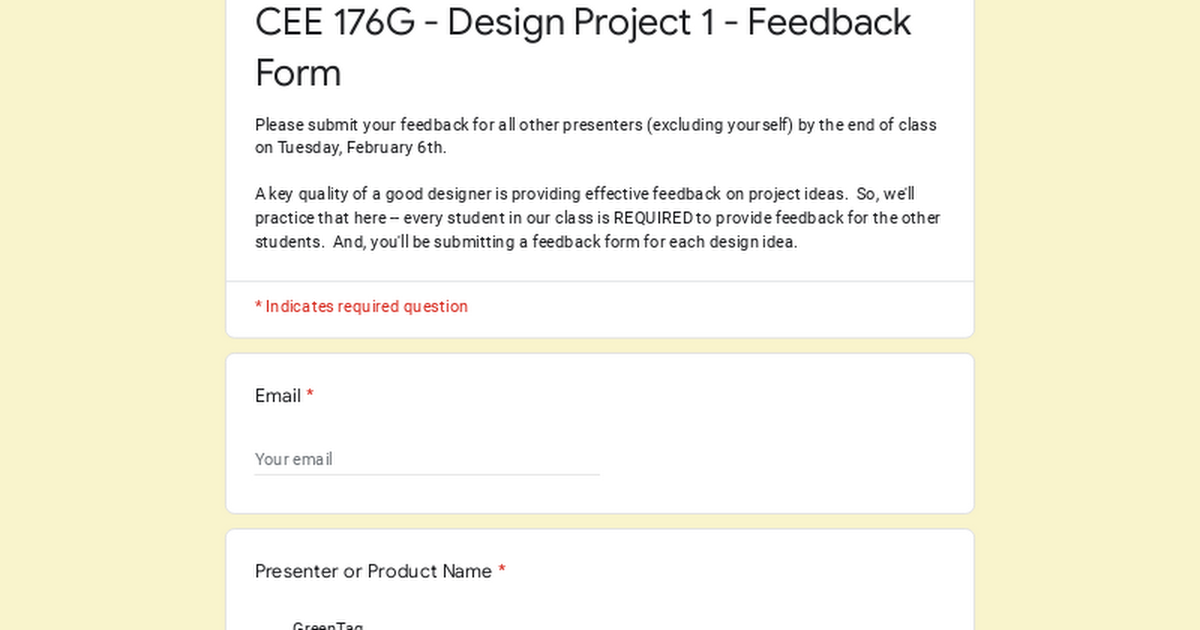
- Following your Live Pitch, all class members will use a Google Form to evaluate your design idea and provide comments using this rubric:


Design Project 1 — Promoting Sustainable Behaviors and Practices for INDIVIDUALS


Pivot
Class Session 10 | Thu, Feb 8 - Time to Pivot


Design Project 2
Class Session 11 | Tue, Feb 13 - Launch
Design Project 2 | Focus Areas — Initial Ideas- Scope | Present on March 7
- Use all phases of the design thinking process
- Empathizing / Interviewing
- Defining POV
- Ideating
- Prototyping and Testing
- Iterating
- Should iterate / can pivot as process unfolds
- Support
- Mentors - Colin & Glenn
- CA Team — Adeline, Linh, Daniel, Tai Anthony, Carrie
- Making Support
- Post your project plan on Notion
- List of Activities
- Roles
- Schedule / Target Dates


Class Session 12 | Thu, Feb 15
Working Session
Class Session 13 | Tue, Feb 20
Working Session
Class Session 14 | Thu, Feb 22 - Project Check-In
- Post your project plan on Notion
- List of Activities
- Roles
- Schedule / Target Dates
- Quick Idea Generation
- Classifying
- Two weeks in
- Two weeks to go
- Updating project plan
- POV statement to use as basis for ideating
- What need are you trying to solve?
- Ideating
- Consider alternative How Might We strategies.
- Converge on 3 potential divergent ideas to prototype and describe the MVP for each idea
- Will present and decide which to pursue on Tuesday, Feb 27
Class Session 15 | Tue, Feb 27 - Project 2 Ideating
- Update your project plans | Due Tue, Feb 27
- Project Presentations schedule for Thu, Mar 7
Updated Project Plans- POV statement to use as basis for ideating | Due Tue, Feb 27
- Ideating | Due Tue, Feb 27
Selected POV StatementIdeating - Divergent and Convergent Thinking- You will present and decide on which design idea to pursue during our Tue, Feb 27 class session
Class Session 17 | Tue, Mar 5 - Project 2
- Looking Ahead to Design Project 2 Presentations
- Review Document Deliverables for Design Project 2
- A hint about plan for last week of course
- Closing out design work and getting started on presentations etc
- Glenn & Colin circulate to get progress updates & give feedback
Preparing for Thursday Presentations
- Present projects thru the Lens of How You Used the Design Thinking Process — 12 minutes
- What You Did - 4 minutes
- Empathizing activities
- Needs > POV
- Ideating Process
- Prototyping
- Current Design Idea - 3 minutes
- SHOW Your Best Prototype of Your Idea
- Live Pitch or Recorded Pitch
- Self-Reflection: How Did the Process Work? - 3 minutes
- What worked well?
- Fueled your creativity
- What were the benefits of Design Thinking process?
- What were challenges of Design Thinking process?
- What would you do differently? How could Design Thinking be used more beneficially?
What’s Next - On Thursday
Presentations
- Note: Addition of Written Personal Self-Reflection on Project 2

THE ESSENTIALS:
- MICRO-LIVING: <800 SQ FT.
- INDIVIDUAL OR TEAM EFFORT.
- MULTI-PURPOSE. MULTI-FUNCTION.
- ANY ASPECT OF LIVING. INDOORS/OUTDOORS. PERMANENT. TEMPORARY. ETC.
- HUMAN-CENTERED STORY.
- 30+ YEARS IN THE FUTURE. INNOVATION. SMART. TECHNOLOGY. NEEDS. PRACTICALITY. CONVENIENCE. ADAPTABLE. SUSTAINABLE. & MORE.
- DELIVERABLES: PHYSICAL MODEL PROTOTYPE, PITCH PRESENTATION & SPEC SHEET.

Final Presentations
https://docs.google.com/presentation/d/1aeAfhO9IEd-e1K4cYjT_uLDSROq4hgjxZRjV3d5raY8/edit?usp=sharing
Pablo:
Maddie: https://docs.google.com/presentation/d/1C_bCmWnz3-Yi4M2Oiar5sHaIEsJl33zXwsW9gVGR1UM/edit?usp=sharing
Dylan - https://docs.google.com/presentation/d/1D3ZLQINKRO3P89XoT9l4BEs85RExeLUn5sNQBf6zJ8A/edit?usp=sharing
Klay -
Design Journals
Link to Student | Posting Title | Journal Entry For | Last Edited | Created | Created By | Last edited by | Design Journal Count | Presenter Order |
|---|---|---|---|---|---|---|---|---|
Project 2 - Preparing for Elevator Pitch | Mar 11, 2024 4:20 PM | Mar 11, 2024 4:19 PM | A Avanish | A Avanish | ||||
Project 2 - Sharing | Mar 7, 2024 10:03 PM | Mar 7, 2024 10:02 PM | M Mayu | M Mayu | ||||
Project 2 - Domain / Area of Opportunity | Mar 7, 2024 9:51 PM | Mar 7, 2024 9:51 PM |  Glenn Katz Glenn Katz | Glenn Katz | ||||
Project 2 - Preparing for Elevator Pitch | Mar 7, 2024 9:39 PM | Mar 7, 2024 9:39 PM | M Maddie | M Maddie | ||||
Project 2 - Sharing | Mar 7, 2024 9:37 PM | Mar 7, 2024 9:36 PM | D Dylan Win | D Dylan Win | ||||
Project 2 - Domain / Area of Opportunity | Mar 7, 2024 9:32 PM | Mar 7, 2024 8:32 AM |  Pablo Arosemena Pablo Arosemena | Pablo Arosemena | ||||
Project 2 - POV Statements | Mar 7, 2024 9:31 PM | Mar 7, 2024 9:30 AM | Pablo Arosemena | Pablo Arosemena | ||||
Project 2 - Ideating | Mar 7, 2024 9:31 PM | Mar 7, 2024 9:41 AM | Pablo Arosemena | Pablo Arosemena | ||||
Project 2 - Composite Characters | Mar 7, 2024 9:31 PM | Mar 7, 2024 9:45 AM | Pablo Arosemena | Pablo Arosemena | ||||
Project 2 - Prototyping Plan | Mar 7, 2024 9:30 PM | Mar 7, 2024 10:12 AM | Pablo Arosemena | Pablo Arosemena | ||||
Project 2 - Sharing | Mar 7, 2024 9:30 PM | Mar 7, 2024 9:29 PM | Pablo Arosemena | Pablo Arosemena | ||||
Project 2 - Prototype WIP | Mar 7, 2024 9:30 PM | Mar 7, 2024 11:58 AM | Pablo Arosemena | Pablo Arosemena | ||||
Project 2 - Domain / Area of Opportunity | Mar 7, 2024 10:12 AM | Mar 7, 2024 10:10 AM | Y Yinjian Li | Y Yinjian Li | ||||
Project 2 - POV Statements | Mar 7, 2024 8:32 AM | Feb 27, 2024 9:21 PM | D Dylan Win | Pablo Arosemena | ||||
Project 2 - Interviews | Mar 7, 2024 8:32 AM | Feb 20, 2024 10:46 PM | A Avanish | Pablo Arosemena | ||||
Project 2 - Project Planning | Mar 6, 2024 7:25 AM | Feb 15, 2024 10:05 PM | M Maddie | M Maddie | ||||
Project 2 - Prototype WIP | Mar 4, 2024 3:27 AM | Mar 4, 2024 3:22 AM | A Avanish | A Avanish | ||||
Project 2 - Prototype WIP | Feb 29, 2024 10:51 PM | Feb 29, 2024 7:13 PM | A Avanish | A Avanish | ||||
Project 2 - Prototyping Plan | Feb 29, 2024 7:13 PM | Feb 29, 2024 7:12 PM | A Avanish | A Avanish | ||||
Project 2 - MVP Definition | Feb 29, 2024 7:12 PM | Feb 29, 2024 7:11 PM | A Avanish | A Avanish | ||||
Project 2 - Ideating | Feb 29, 2024 7:10 PM | Feb 29, 2024 7:10 PM | A Avanish | A Avanish | ||||
Project 2 - Ideating | Feb 27, 2024 10:47 PM | Feb 27, 2024 9:23 PM | D Dylan Win | D Dylan Win | ||||
Project 2 - POV Statements | Feb 27, 2024 9:45 PM | Feb 27, 2024 7:18 AM | M Maddie | M Maddie | ||||
Project 2 - Domain / Area of Opportunity | Feb 27, 2024 9:19 PM | Feb 26, 2024 1:43 AM | A Avanish | Glenn Katz | ||||
Project 2 - Domain / Area of Opportunity | Feb 27, 2024 9:15 PM | Feb 27, 2024 8:24 AM | Y Yinjian Li | Glenn Katz | ||||
Project 2 - Sharing | Feb 27, 2024 8:16 PM | Feb 27, 2024 8:27 AM | Y Yinjian Li | Y Yinjian Li | ||||
Project 2 - Sharing | Feb 27, 2024 8:27 AM | Feb 27, 2024 8:25 AM | Y Yinjian Li | Y Yinjian Li | ||||
Project 2 - Ideating | Feb 27, 2024 8:19 AM | Feb 27, 2024 7:08 AM | M Maddie |  Samuel James Roberts Samuel James Roberts | ||||
Project 2 - POV Statements | Feb 26, 2024 1:49 AM | Feb 26, 2024 1:45 AM | A Avanish | A Avanish | ||||
Project 2 - Composite Characters | Feb 26, 2024 1:44 AM | Feb 25, 2024 6:11 PM | A Avanish | A Avanish | ||||
Project 2 - Interviews | Feb 25, 2024 5:59 PM | Feb 25, 2024 5:59 PM | A Avanish | A Avanish | ||||
Project 2 - Project Planning | Feb 25, 2024 5:59 PM | Feb 15, 2024 10:07 PM | A Avanish | A Avanish | ||||
Project 2 - Domain / Area of Opportunity | Feb 20, 2024 8:33 PM | Feb 20, 2024 8:08 PM | Y Yinjian Li | Y Yinjian Li | ||||
Project 2 - Project Planning | Feb 15, 2024 10:42 PM | Feb 15, 2024 9:44 PM | D Dylan Win | D Dylan Win | ||||
Project 2 - Domain / Area of Opportunity | Feb 15, 2024 9:35 PM | Feb 13, 2024 9:52 PM | I Ishrita | Glenn Katz | ||||
Project 2 - Domain / Area of Opportunity | Feb 15, 2024 9:56 AM | Feb 13, 2024 9:43 PM | Samuel James Roberts | Samuel James Roberts | ||||
Project 2 - Domain / Area of Opportunity | Feb 13, 2024 9:58 PM | Feb 13, 2024 9:57 PM | I Ishrita | I Ishrita | ||||
Project 2 - Domain / Area of Opportunity | Feb 13, 2024 9:54 PM | Feb 13, 2024 9:31 PM | A Avanish | A Avanish | ||||
Project 2 - Domain / Area of Opportunity | Feb 13, 2024 9:21 PM | Feb 13, 2024 9:16 PM | D Dylan Win | D Dylan Win | ||||
Project 2 - Domain / Area of Opportunity | Feb 13, 2024 9:14 PM | Feb 13, 2024 7:47 PM | Y Yinjian Li | Glenn Katz | ||||
Project 2 - Domain / Area of Opportunity | Feb 13, 2024 9:13 PM | Feb 13, 2024 9:23 AM | M Maddie | Glenn Katz |
Design Project Spec Sheet Collections
The spec sheets are compiled into a single PDF for each Design Project, and have been uploaded to our Canvas website in the Files section. I also added these documents to our Slack channel.
Design Project 3 Spec Sheet
Design Project 3 Spec Sheet is due by Tuesday March 19, 2024 7:00 pm
This spec sheet includes another self-reflection mini-essay.
This spec sheet requires a storytelling paragraph. ~150 words or whatever fits on the front page.

A Message To My Future Self
This is Part 3 of the Your Personal Story activity in the course. Part 1 looked in the past and pulled together experiences and motivations to keep pushing in what you do. Part 2 focused on the present and tuning out distractions and noise so that you are self-aware (business card, mind & heart) and present yourself to others accordingly. In Part 3, you are tasked with looking into the future and thinking about your Point A (present) and Point B (future). The change in your hopes and dreams are ready for design thinking, and hopefully this type of emotional intelligence-fueled change can be connected to the change we challenged you with in the sustainability projects for this course.

There may not be time available in class to do this activity. So it is optional and there is no submission needed. Still, I do recommend doing all three parts in order to strengthen your emotional intelligence and design thinking. Sustainability innovation and evangelism needs more of it.
Future Classes
Studio Core Values

- Smart, Sustaianble, Micro living space
- 500 to 700 SF
- You own and reconfigure
- Smart technologies
- Good passive design
- Daylighting
- Energy
- Dense, urban environments
- Challenging climate
Studio Design Journals
You’ll find pages for your Studio Design Journals below…. You’ll use these to record and share your process for each of the design projects.
Project 1 | Personal Design Journals


Product Design Prototype in Unreal - https://youtube.com/watch?v=9BrPIjB_veI&si=Gnhz1ta3TGVYxSiI